Short answer
The Venmo limit for an unverified personal profile is $299.99 a week in payments to people and authorized merchants combined. After identity verification, Venmo says you can send up to $60,000 per week. Transfers to your bank have their own caps: $999.99 a week unverified, or $5,000 per transfer and $19,999.99 a week verified.
On this page
Venmo publishes these figures in its help center. All of them are rolling weekly limits, and Venmo says it can change any limit based on your account history and activity.
At a glance
- Payments, unverified$299.99 per week (people and authorized merchants combined)
- Payments, verifiedUp to $60,000 per week
- Transfer to bank, unverified$999.99 per week
- Transfer to bank, verified$5,000 per transfer, $19,999.99 per week
- Minimum instant transfer$0.26
Source: Personal Profile Payment Limits, Personal Profile Bank Transfer Limits · Checked on September 27, 2026
How the weekly window works
Venmo uses rolling weekly limits. A payment counts against your limit for exactly one week from the moment it is authorized. Venmo’s own example: a payment sent on Monday at 11:00 AM stops counting at 11:01 AM the following Monday. There is no calendar reset on a fixed day.
Venmo also says a payment “may be declined for reasons other than your limits”, so staying under a limit does not guarantee a payment goes through.
Verified vs unverified
Identity verification means Venmo has confirmed your name, date of birth and SSN or ITIN. Venmo says it may ask you to verify if you try to:
- send $300 or more in a rolling 7-day period;
- transfer $1,000 or more to your bank in one week;
- receive payments for goods and services on a personal or business profile.
| Limit (rolling week) | Unverified | Verified |
|---|---|---|
| Payments to people and merchants | $299.99 | Up to $60,000 |
| Transfer to bank, per week | $999.99 | $19,999.99 |
| Transfer to bank, per transfer | $5,000 | |
| Use your Venmo balance to pay | No | Yes |
| Identity check required | No | Yes |
Source: Personal Profile Payment Limits, Standard Bank Transfers FAQ, Identity Verification · Checked on September 27, 2026
To verify: Me tab → Settings gear → Identity Verification. If the automatic check fails, Venmo asks for documents in the app.
If you do not have an SSN or ITIN, Venmo says you cannot complete verification. You can still pay people and businesses from a linked bank account or card, receive payments, and transfer that money out to a bank.
Receiving limits
For business profiles Venmo states there is no limit on the amount you can receive. If a stranger sends you money by mistake, Venmo asks you not to return or move it yourself and to contact its support team instead.
Adding money to Venmo
Some accounts see an Add Money option. Where it appears, Venmo says you may be able to add:
- up to $10,000 per week from a bank account;
- up to $3,000 per week from a debit card.
Venmo Debit Card limits
The Venmo Mastercard debit card spends from your Venmo balance and has its own limits.
At a glance
- Per purchase$2,999.99
- Daily purchases$3,000.00
- ATM, over-the-counter and cash back, daily$1,000.00
- Transactions per day30
- Daily resetMidnight Central Time (1:00 AM ET)
- ATM fee$2.50 outside the MoneyPass network, plus any ATM owner fee; $0 at U.S. MoneyPass ATMs
Source: Using Your Venmo Debit Card, Venmo Debit Card FAQ · Checked on September 27, 2026
Business and teen profiles
Business and teen accounts have separate limits that do not eat into your personal profile’s limits.
| Profile | Payments | Transfers out | Receiving |
|---|---|---|---|
| Business, unverified | $2,499.99 per week | $999.99 per week | No limit |
| Business, verified | $49,999.99 per week (instant: $50,000 per transfer to a bank, $10,000 per transfer to a debit card) | No limit | |
| Teen account | $2,000 per week person-to-person |
Teen debit cards: $3,000 per day and $7,000 per week in purchases; $400 per day at ATMs.
Source: Business Profiles Payment and Bank Transfer Limits, Teen Account Limits · Checked on September 27, 2026
Speed and fees when you cash out
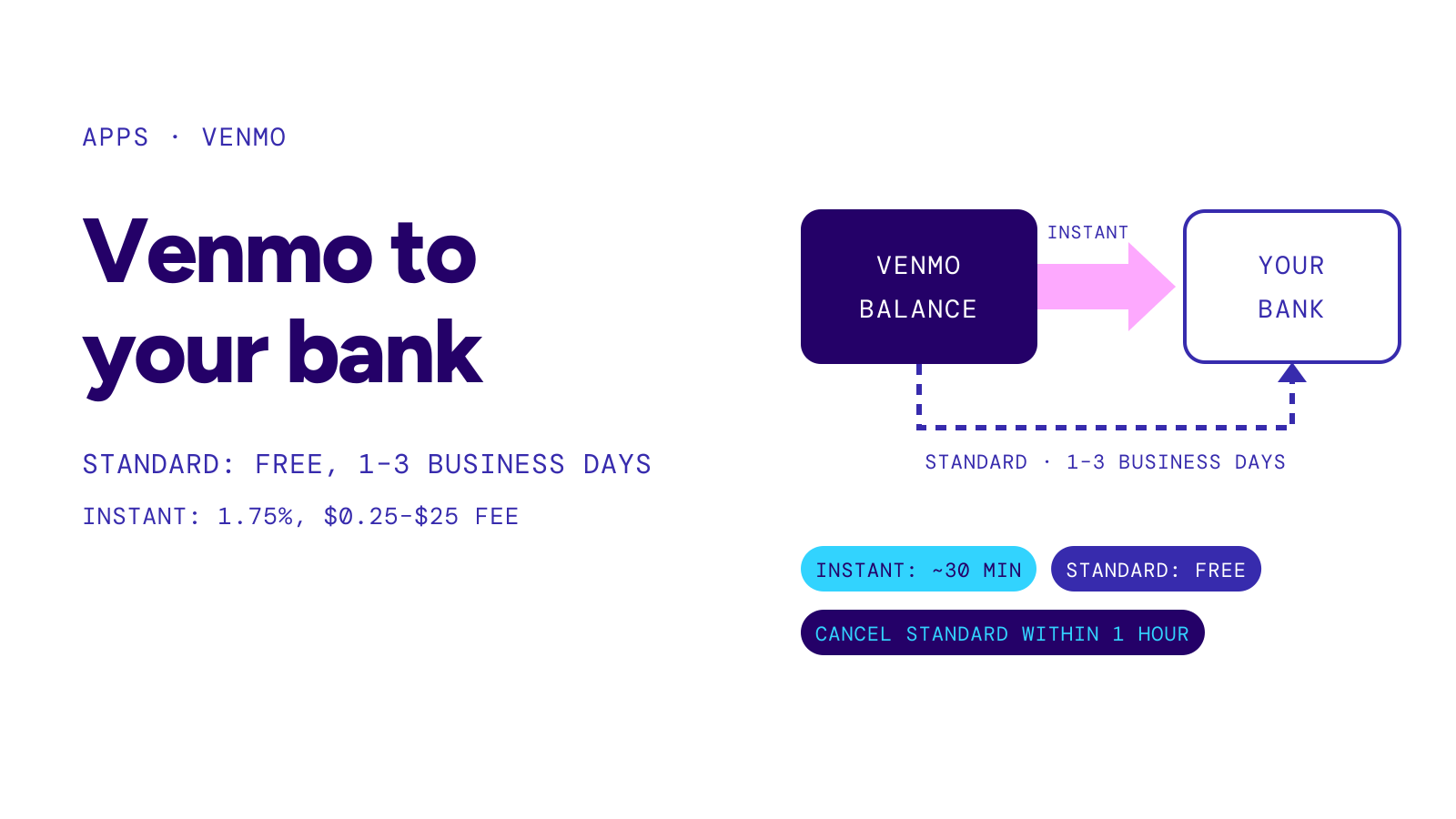
- Standard transfer: free, goes through ACH, typically completes within one business day and can take up to three. Within one hour of starting it you can cancel it or switch it to instant.
- Instant transfer: 1.75% fee (minimum $0.25, maximum $25), typically within 30 minutes, available 24 hours a day, 365 days a year, to eligible U.S. bank accounts and Visa, Mastercard or Discover debit cards.
Source: Standard Bank Transfers FAQ, Instant Bank Transfer FAQ · Checked on September 27, 2026
For standard ACH timing in general, see how long does ach take. For the three apps’ fees side by side, see instant transfer fee.
When you hit a Venmo limit
- Find the limit type. A declined payment and a declined bank transfer hit different caps.
- Verify your identity if you are still on the $299.99 weekly limit.
- Wait for the rolling week. Each payment stops counting exactly seven days after it was authorized.
- Split large bank transfers into pieces of $5,000 or less; Venmo says transfers above that must be sent in increments.
- Ask support in the app (Me → Settings → Get Help) if a payment is declined while you are under every limit. Venmo says its support team cannot override instant transfer declines, but a standard transfer is still available.
Warning
Venmo says it will never ask for the verification code sent to your phone, never ask you to send money to “verify” your account, and never direct you to send money to another user or through another payment platform. A message saying a payment will “reach your Venmo account once you ship the item” or pay a fee is fake: Venmo says that is not a feature it provides.
Source: Common Scams on Venmo · Checked on September 27, 2026
To compare Venmo’s caps with Cash App’s, see cash app limit. This page reports limits as Venmo publishes them; it is not financial advice.