Short answer
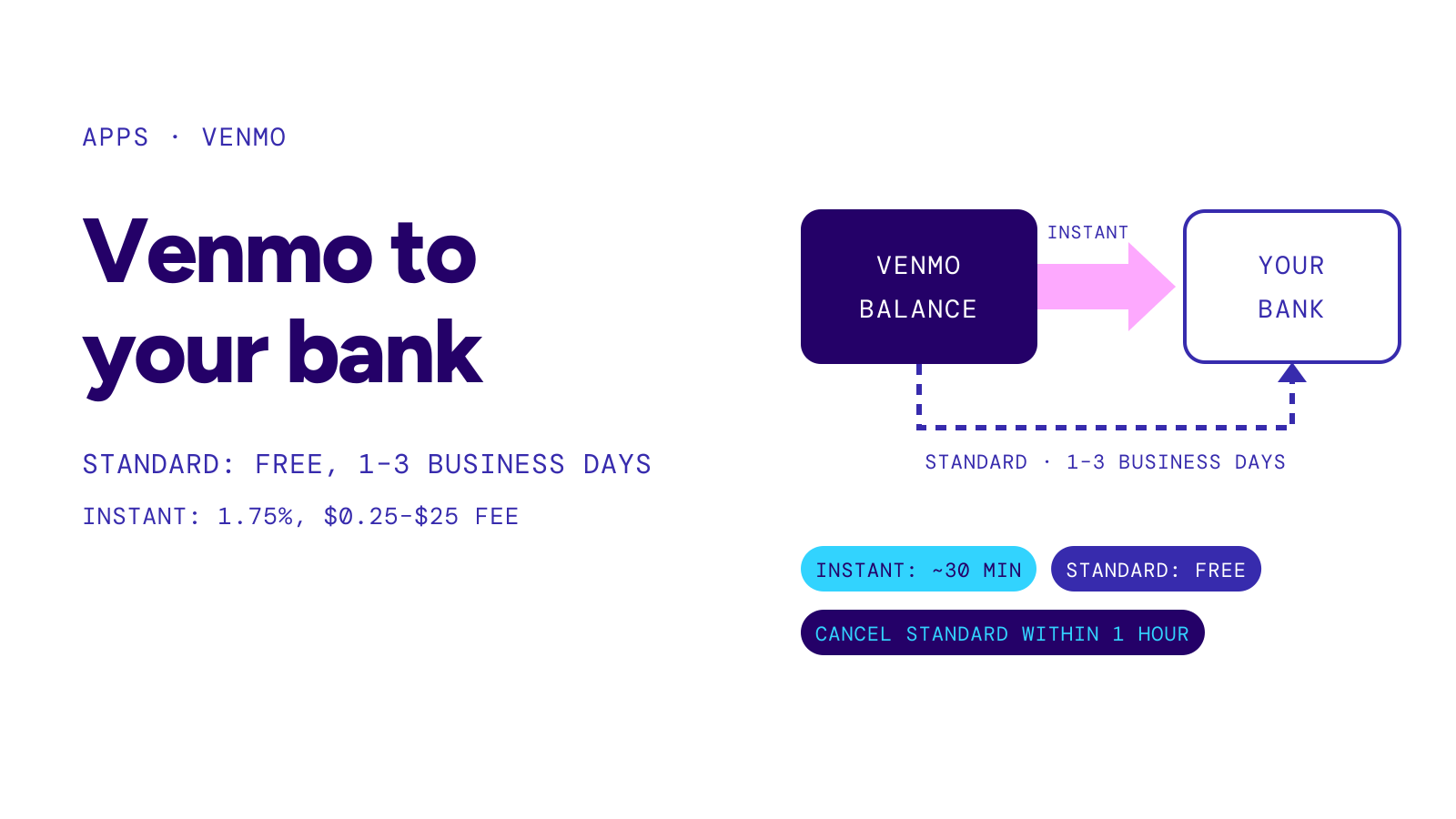
To transfer a Venmo balance to your bank, open the Me tab, choose Add or Transfer, enter the amount, then pick Instant or 1–3 biz days. A standard transfer is free and usually takes one business day, but Venmo says it can take up to three business days. An instant transfer typically arrives within 30 minutes and costs 1.75%, subject to a $0.25 minimum and $25 maximum fee.
On this page
Figures and instructions checked against Venmo’s Help Center on October 31, 2026.
How to transfer Venmo to your bank
Venmo keeps money you receive in your Venmo balance until you spend it or move it out. To send that balance to a linked bank:
- Open Venmo and go to the Me tab.
- Tap Add or Transfer under Wallet. Some accounts show Manage instead.
- Enter the amount to move.
- Choose Instant or 1–3 biz days and review the displayed fee.
- Check the destination and tap Transfer.
Venmo recommends verifying the bank account before you send money. That check matters because a mistyped routing or account number can send the transfer to the wrong place. Venmo says it is not responsible for money lost because the bank credentials were entered incorrectly.
You can also transfer a balance from the Venmo website. Sign in, choose Transfer balance, enter the amount, select the speed and confirm.
Standard vs instant Venmo transfer
| Option | Destination | Venmo’s stated timing | Fee |
|---|---|---|---|
| Standard transfer | Verified checking account | Usually 1 business day; up to 3 business days | Free |
| Instant transfer | Eligible U.S. bank account or eligible Visa, Mastercard or Discover debit card | Typically within 30 minutes | 1.75%, minimum $0.25, maximum $25 |
A standard transfer travels through the ACH Network. Weekends and U.S. bank holidays do not count as business days, so a transfer started late on Friday may not reach the bank until the following week. Venmo shows an estimated arrival date in the transaction feed.
Instant transfers can be requested 24 hours a day, every day of the year. “Instant” is still an estimate: Venmo reviews transfers and says an instant transfer can be declined, delayed or blocked. A bank or card also has to be eligible.
If you are comparing another app, our PayPal-to-bank guide explains PayPal’s standard and instant options. The payment apps hub keeps the current guides together.
Venmo bank transfer limits
Venmo uses rolling seven-day limits rather than a limit that resets on a fixed weekday.
- Identity not verified: up to $999.99 in bank transfers per rolling week.
- Identity verified: up to $19,999.99 per rolling week, with a $5,000 maximum for one transfer.
- Instant transfer minimum: $0.26, because the minimum fee is $0.25.
A rolling limit means each transfer continues to count for seven days from the time you made it. The app may show a lower available amount until an earlier transfer falls outside that window. Venmo’s User Agreement also allows it to change limits, so the figure shown in your account is the final check before you confirm.
Can you cancel a standard Venmo transfer?
Venmo gives you a one-hour window after starting a standard bank transfer to cancel it or change it to an instant transfer. In the app, open the pending transfer from the Me tab and look for Get it faster or Cancel it.
This option is available in the app, not on Venmo’s website. Once the one-hour window closes, do not start a second transfer just because the first has not arrived. Check its estimated arrival date and status first.
If the Venmo transfer does not arrive
Start with the transfer record in Venmo. Confirm the destination, the estimated arrival date and whether the transfer still shows as pending. Then:
- Count business days, excluding weekends and U.S. bank holidays.
- Check whether Venmo asked you for information or placed the transfer under review.
- Confirm that the bank account is open and that the routing and account numbers were correct.
- Contact Venmo support from the app if the estimate has passed.
For a failed instant option, see Venmo Instant Transfer not working. If the problem is a payment between Venmo users rather than a cash-out to your bank, use the guide to a pending Venmo payment.