Short answer
To transfer money between payment apps, first check whether the two services support direct payments. Venmo can pay eligible PayPal users by phone number. To move your own Venmo balance into Cash App, the bank route described below separates the withdrawal from the new deposit. Wait for the first transfer to arrive before starting the second.
On this page
This guide covers personal US-dollar transfers in the United States. It distinguishes paying another person from moving your own balance: the destination, available payment methods and fees can differ.
Venmo to PayPal can be a direct payment
Venmo’s current help page says you can find an eligible PayPal recipient by entering their full phone number when starting a payment. Check the person and destination account before confirming. If the search finds nothing, Venmo suggests checking the phone number and asking the recipient to review their Search privacy settings. Regional availability can also matter.
For US payments funded from a Venmo balance, debit card or bank account, Venmo lists no fee. Payments between the two platforms are typically instant in the US. Credit-card-funded personal payments carry a fee, so check the selected funding method before sending.
There is a useful limitation: you can send a payment across the platforms, but you cannot request one across them. A PayPal recipient’s account search result does not turn a Venmo payment request into a supported cross-platform request.
Source: Venmo’s cross-platform payment instructions · Checked on October 13, 2026.
Older instructions may tell you to create a Visa+ payname. Venmo says Visa+ stopped being available for PayPal and Venmo transactions on February 19, 2026. Follow the current phone-number instructions instead.
Source: Venmo’s Visa+ notice.
Moving your Venmo balance into Cash App through a bank
This route combines two separately documented operations: Venmo’s withdrawal to your bank and Cash App’s Add money function. It is not a single transfer with one promised arrival time.
- Check the receiving bank in Venmo. Add your own bank account and verify it before withdrawing. Venmo warns that incorrect bank credentials can send a transfer to the wrong place.
- Withdraw from Venmo. Open Me, then Add or Transfer under Wallet. Some users see Manage instead. Enter the amount, choose Standard or Instant, review the destination and fee, then confirm.
- Wait for the deposit at your bank. A withdrawal confirmation is not a reason to spend money that your bank has not received. Check the bank balance and the transfer’s status.
- Add money in Cash App. Open the Money tab, choose Add money, enter the amount and select the payment method for the bank account that received the funds. Confirm with your PIN or biometrics if prompted.
Cash App allows you to select a different card when adding money even if you have a default debit card. Check that selection rather than assuming the account you used in Venmo will be selected automatically in Cash App.
Sources: Venmo withdrawal steps, Cash App Add money, Cash App default debit card · Checked on October 13, 2026.
Choose the Venmo withdrawal speed deliberately
| Venmo withdrawal | Published timing | Venmo fee | Destination |
|---|---|---|---|
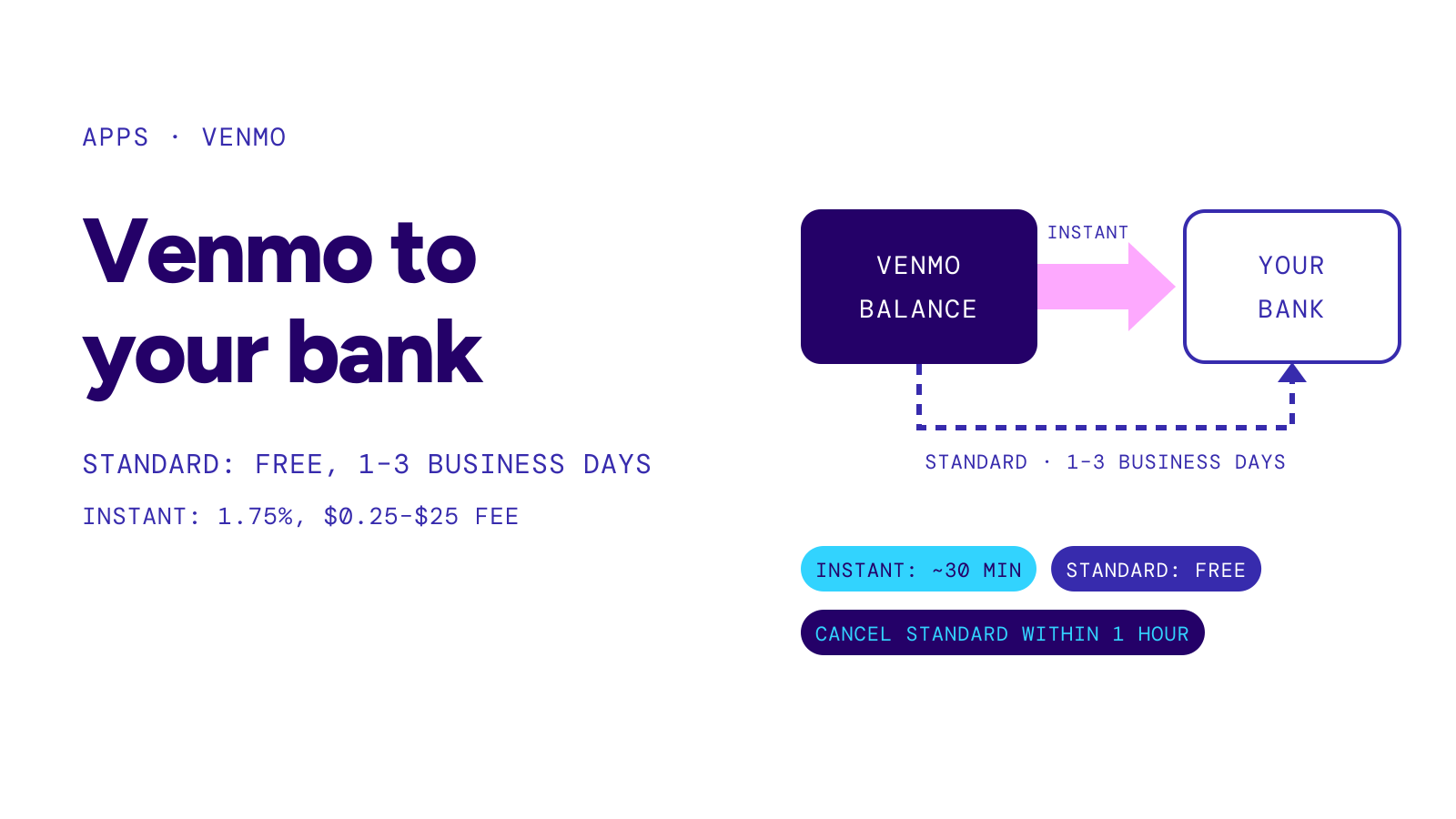
| Standard | Typically 1–3 business days | Free | Verified checking account |
| Instant | Typically within 30 minutes | 1.75%, minimum $0.25, maximum $25 | Eligible US bank account or debit card |
Source: Standard transfer FAQ and Instant transfer FAQ · Checked on October 13, 2026.
Those figures describe the Venmo withdrawal only. They are not a total delivery estimate for moving money through a bank and then into another app. Standard transfers exclude weekends and US bank holidays; both options can be reviewed or delayed.
For an illustrative $200 Instant withdrawal, 1.75% is $3.50. Because Venmo deducts the fee from the transfer amount, $196.50 remains for the destination before any separate transaction. Do not enter $200 for the next transfer unless your bank has enough available money to cover it.
If the transfer stops halfway
Look at the specific step that failed. If the money is still pending in Venmo, use its estimated arrival date. If Venmo says an Instant transfer completed but your bank cannot find it, Venmo advises asking the bank to look for an original credit transaction or real-time payment, rather than an ACH deposit.
If the bank received the withdrawal but Cash App has not accepted the Add money operation, keep the two transaction records separate. Repeating the withdrawal would move another amount out of Venmo; it would not repair the second step.
For a declined Instant withdrawal, see Venmo Instant Transfer not working. For the sending account’s rolling limits, see Venmo limit.