Short answer
A Cash App payment pending usually means Cash App needs you to take an action, shown in your Activity feed. Cash App says payments are usually available instantly, and a payment that stays pending for 24 hours is automatically canceled and shows as “failed”. Nobody outside the app can “release” it for a fee.
On this page
Cash App uses “pending” for several different situations: an outgoing payment waiting on you, an incoming payment you have to accept, a Cash App Pay purchase the merchant has not finished, or a transfer to your bank that is still in transit. Each has a different fix.
At a glance
- Normal speed, Cash App to Cash AppUsually instant
- Auto-cancel of a pending paymentAfter 24 hours (status changes to “failed”)
- Refund after a security cancelInstant, or within 1–3 business days depending on your bank
- Standard transfer to a bank1–3 business days
- Decision on a temporary account suspensionTypically within 30 days, or within 3 business days after you provide the requested info
Source: Payment Pending, Payment Canceled, Account Restrictions and Suspensions · Checked on September 27, 2026
Why a Cash App payment is pending
| Situation | What pending means | Can you fix it yourself? |
|---|---|---|
| You sent a payment | Cash App needs an action from you (steps are in Activity) | Yes |
| Someone sent you a payment | You may need to tap Accept | Yes |
| Payment went to another account of yours | It sits in the account tied to that phone or email | Yes |
| Cash App Pay purchase | Merchant has placed a temporary hold | No (ask the merchant) |
| Account under review | Sending and receiving are temporarily restricted | Partly (submit the requested info) |
| Cash-out to your bank | Standard transfer still in transit | No (wait, then ask your bank) |
Source: Payment Pending, Someone sent me a payment that’s pending, Cash App Pay transaction phases · Checked on September 27, 2026
You sent it and it says pending
Cash App’s help center says a pending payment “could mean that you need to take action”, and that the steps appear in your Activity feed. If the status reads “Waiting to Complete”, swipe down on Activity to refresh it. If nothing is done, the payment is canceled after 24 hours and marked “failed”.
Someone sent you money and it is pending
Some incoming payments need your approval. Open Activity in the app or at cash.app, select the payment and choose Accept. If you cannot see it at all, Cash App says the money may have gone to another account you created with a different phone number or email: sign out, sign in with that number or email, and accept it there.
Cash App Pay purchases
Cash App Pay is Cash App’s checkout button at merchants. While a purchase is pending, Cash App says a temporary hold reduces your balance (or shows as a pending charge on your bank). A merchant may temporarily raise the hold amount; once the payment completes, you are charged only the actual order amount. If the merchant cancels, the hold is released. Questions about the amount go to the merchant.
The payment was canceled instead
Cash App monitors accounts and cancels payments that look potentially fraudulent. It says the money returns to your balance or linked bank instantly, or within 1–3 business days depending on your bank. To lower the chance of cancellations, Cash App suggests linking only cards in your name, paying people you know, and double-checking the $cashtag or phone number.
Your account is under review
If Cash App suspects scam activity or a policy violation, it temporarily suspends features such as sending or receiving money and buying or withdrawing bitcoin. It may ask for your legal name, address, date of birth, a photo of your ID or a live photo. A decision typically comes within 30 days, or within 3 business days of you providing the requested info in the app.
Timeline of a stuck payment
Timeline
- Minute 0you send the payment; Cash App to Cash App payments are usually available instantly
- If it shows pendingopen Activity, follow any steps shown, swipe down to refresh
- Within 24 hourscomplete the requested action, or the payment is canceled
- At 24 hoursan uncompleted pending payment is automatically canceled and shows as “failed”
- After a cancelmoney returns to your balance or bank instantly, or within 1–3 business days
Source: Payment Pending, Payment Canceled · Checked on September 27, 2026
Pending cash-out to your bank
A standard transfer from Cash App to a bank is free and usually arrives in 1–3 business days; an instant transfer typically arrives immediately to a linked debit card for a 0.5%–2.5% fee. If money does not arrive by the expected date, Cash App says to contact your bank with the reference number on your withdrawal receipt (Activity → the withdrawal → Transaction number). Depending on the route, that is a Visa or Mastercard network reference or an ACH trace number. If an instant deposit could not go through instantly, Cash App says the money arrives within 1–3 business days and the instant fee is refunded.
Source: Withdrawal Transfer Speed Options, Deposit wasn’t Instant · Checked on September 27, 2026
For how ACH timing works on the bank side, see how long does ach take.
What to do, in order
- Open Activity and tap the payment. The status and any required step are shown there.
- Refresh by swiping down if it says “Waiting to Complete”.
- Accept incoming payments that need approval.
- Check your other accounts if an expected payment is missing.
- Submit requested info if your account is restricted; use only the in-app link.
- Wait out the 24 hours if you want the payment to fail and the money to return, or ask the recipient for a refund once it completes.
- Contact Cash App support from the app, or by phone at (800) 969-1940, if the status makes no sense.
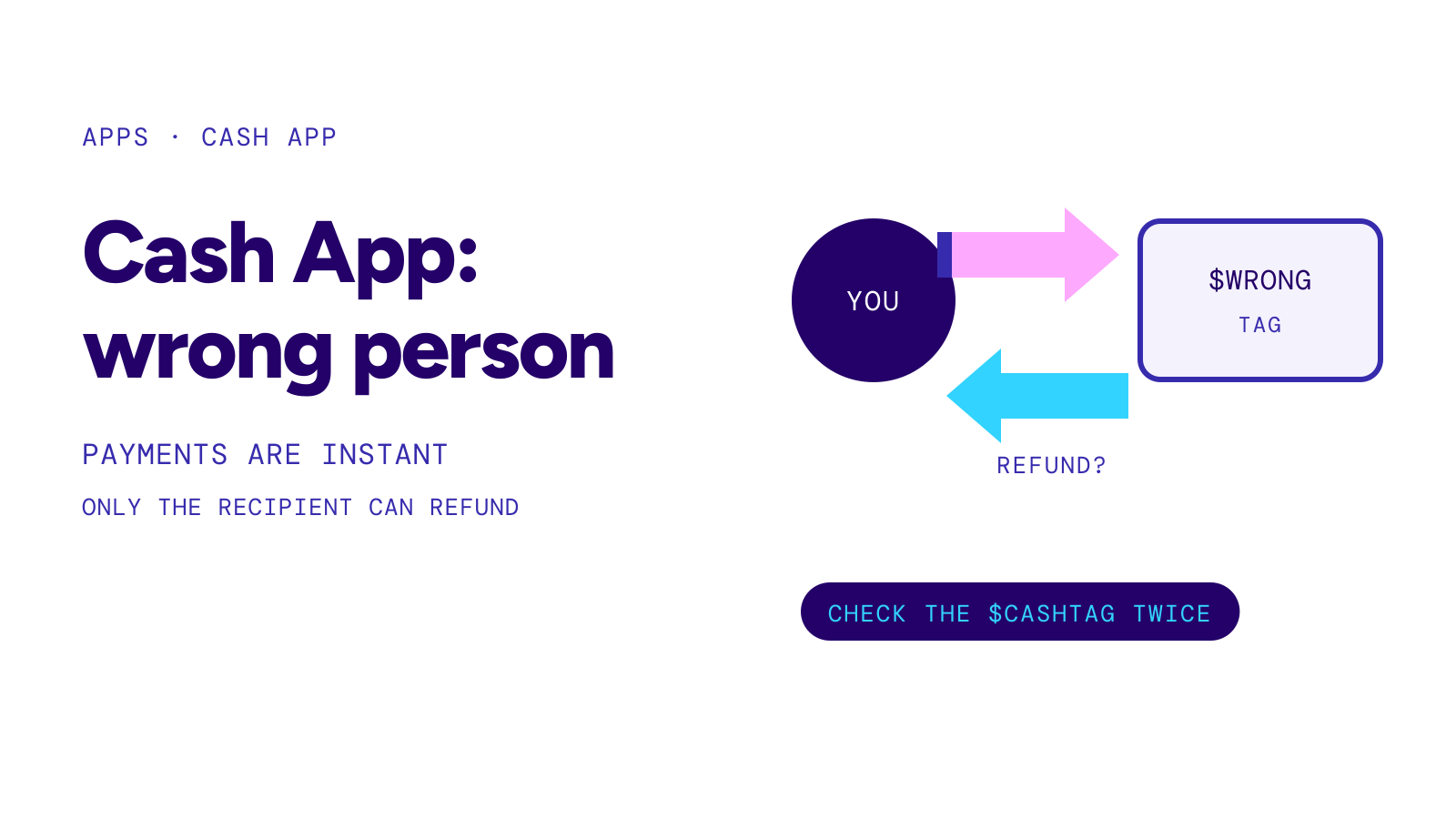
Cash App to Cash App payments usually cannot be canceled once completed. Cash App says it cannot cancel or refund a completed payment sent to the wrong account; you have to ask the recipient for a refund through Report an Issue or a new Request.
Warning
A message, email or screenshot saying your Cash App payment is “pending until you pay a fee”, “send a small test payment” or “upgrade your account” is a scam pattern. Cash App says its support will never ask you to send a payment, make a purchase, download remote access apps or complete test transactions, and never asks for your sign-in code or PIN. Real payments appear in your Activity feed; check the app itself, not the message. If you paid a scammer, report it in the app and at ReportFraud.ftc.gov.
Source: Keep your money and account safe on Cash App, FTC: Mobile payment apps · Checked on September 27, 2026
If the payment is not pending but blocked by a cap, see cash app limit. For pending payments elsewhere, see zelle payment pending and paypal payment pending.
This page explains Cash App’s published rules. It is not financial or legal advice.