Short answer
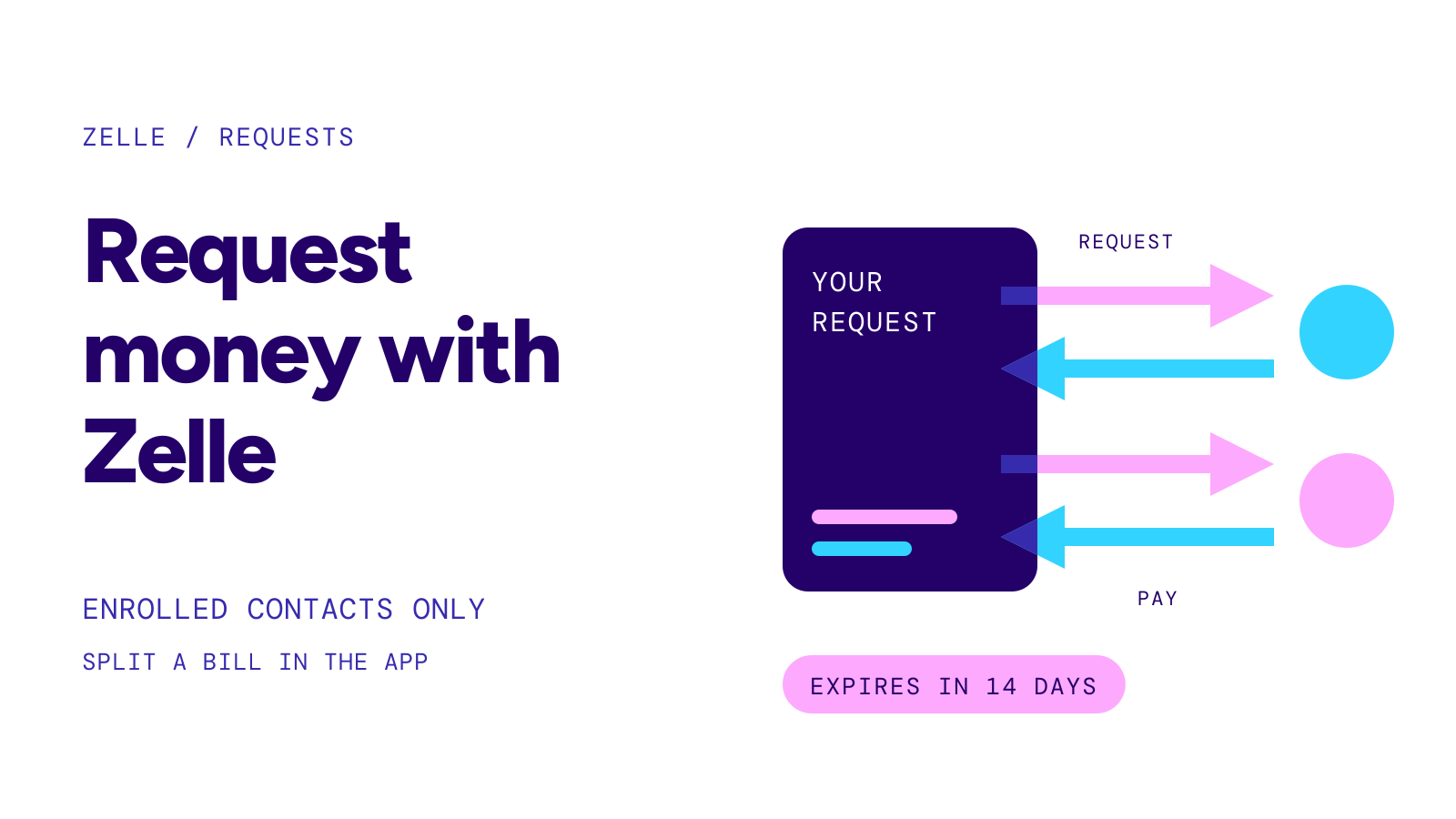
To request money on Zelle, open Zelle in your bank’s app, choose Request, pick a contact who is already enrolled with Zelle, enter the amount and send. The other person decides whether to pay. At Chase and Bank of America an unpaid request expires after 14 days, and you can cancel it before then.
On this page
At a glance
- Who you can askOnly people already enrolled with Zelle; Zelle says payment requests can only be sent to enrolled users
- WhereIn your bank’s or credit union’s app; Bank of America offers requests in its mobile app only
- Split a billBank of America splits one request across up to 10 recipients; Chase can split a card or checking charge from your activity
- Expiry14 days at Chase (from the Send On date) and at Bank of America
- CancelYou can cancel a request you sent; a payment the other person already started may not stop
- FeeChase charges no service fee for Zelle; 99.40% of linked consumer accounts pay no fee to send, receive or request (Zelle survey, Q1 2026)
Source: Zelle: Using Zelle · Zelle: Security · Bank of America Zelle FAQs · Chase Zelle Service Agreement, last updated October 16, 2026 · Checked on October 23, 2026
A request is a message asking someone to pay you. No money moves until that person sends a Zelle payment in response, and when they do, it reaches you like any other payment. If you are waiting for money someone already sent, see how to receive money with zelle.
Before you send a request
You need to be enrolled yourself. Wells Fargo says you must have enrolled an email address, U.S. mobile number or Zelle tag before you can request money. Zelle itself lives inside your bank’s or credit union’s app or online banking; there is no separate place to send a request.
The person you ask has to be enrolled too. Zelle says payment requests can only be sent to enrolled users, and Chase’s agreement says a request can go only to an enrolled email, mobile number or Zelle tag. Wells Fargo adds that a request to a U.S. mobile number works only if that number is already enrolled. If your contact uses Zelle at a different bank, that is fine: Zelle works between participating banks and credit unions. Our banks that use zelle table shows who offers it.
How to request money, step by step
The labels differ by bank, but the flow is the same. Zelle’s own description: add the recipient’s email address or U.S. mobile number, enter the amount, add a memo, review and confirm.
- Open your bank’s app and go to Zelle. Bank of America puts it under Pay & Transfer; at Chase, tap Pay and Transfer, then Request/Split with Zelle.
- Choose Request.
- Pick a contact or enter their enrolled email address or U.S. mobile number.
- Enter the amount and, if you like, a note saying what it is for.
- Review the details and send the request.
The request then waits until the person pays it, ignores it, or it expires. Bank of America shows outstanding requests in Payment Activity under Action Needed, and moves expired, completed or canceled ones to History.
Source: Zelle: Using Zelle · Chase: How to split and request money with Zelle · Bank of America Zelle FAQs · Wells Fargo Zelle FAQs · Checked on October 23, 2026
Splitting a bill
Two of the largest banks build splitting into the request screen:
| Bank | How splitting works | Where |
|---|---|---|
| Bank of America | Add up to 10 recipients; the app divides the total, can include your share, and lets you change each person’s amount | Mobile app only |
| Chase | Swipe left on a credit card or checking charge, tap Split, choose contacts and tap “Include my portion” to divide it | Chase Mobile app |
Source: Bank of America Zelle FAQs · Chase: How to split and request money with Zelle · Checked on October 23, 2026
Chase’s agreement says you can request money from several people at once, up to a maximum number that Chase sets.
Expiry, cancelling and reminders
Timeline
- Day 0You send the request to an enrolled contact
- Any time before it is paidYou can cancel it from your Zelle activity
- When the other person paysThe money arrives like any other Zelle payment
- Day 14 unpaidThe request expires at Chase and Bank of America; send a new one if you still need the money
Source: Chase Zelle Service Agreement, section 12 · Bank of America Zelle FAQs · Checked on October 23, 2026
Chase spells out three details. If the other person has already started a payment in response, Chase will try to cancel that payment but cannot promise to, and it will not try once the payment is a same-day payment, already accepted, or past the cutoff time on its send date. People may reject or ignore a request, and Chase may decide not to send them a reminder. Chase also has no duty to get you paid: it does not act as a debt collector.
What a request cannot be used for
Chase’s agreement bars using Zelle requests to collect an overdue or delinquent debt, to collect money owed to another person, or to collect amounts owed under a court order. Chase can also stop you from sending requests, in general or to specific people, if it sees them as potentially unlawful, abusive, offensive or unwelcome.
If someone sends you a request
You do not have to pay it. Paying a request is an ordinary Zelle payment from your account, so the usual rule applies: Zelle says a payment to an enrolled recipient cannot be canceled. Before paying, check the name your app shows for the requester; Bank of America shows it in the “Enrolled with Zelle as” field.
Warning
Chase says requests are solely between the sender and the recipient and are not reviewed or verified by the bank. Zelle advises using it only with people you know and trust. If a request comes from a stranger, or from someone pressing you to pay quickly, do not pay it. If you already paid a scammer, see zelle scam refund.
Chase lets you block another user who sends you payments or requests, in the Chase app or online; the blocked user is not told, and you can still send them money. Chase warns that network limits mean a block cannot be guaranteed.
Source: Chase Zelle Service Agreement, sections 3 and 12 · Zelle: Using Zelle · Bank of America Zelle FAQs · Checked on October 23, 2026