Short answer
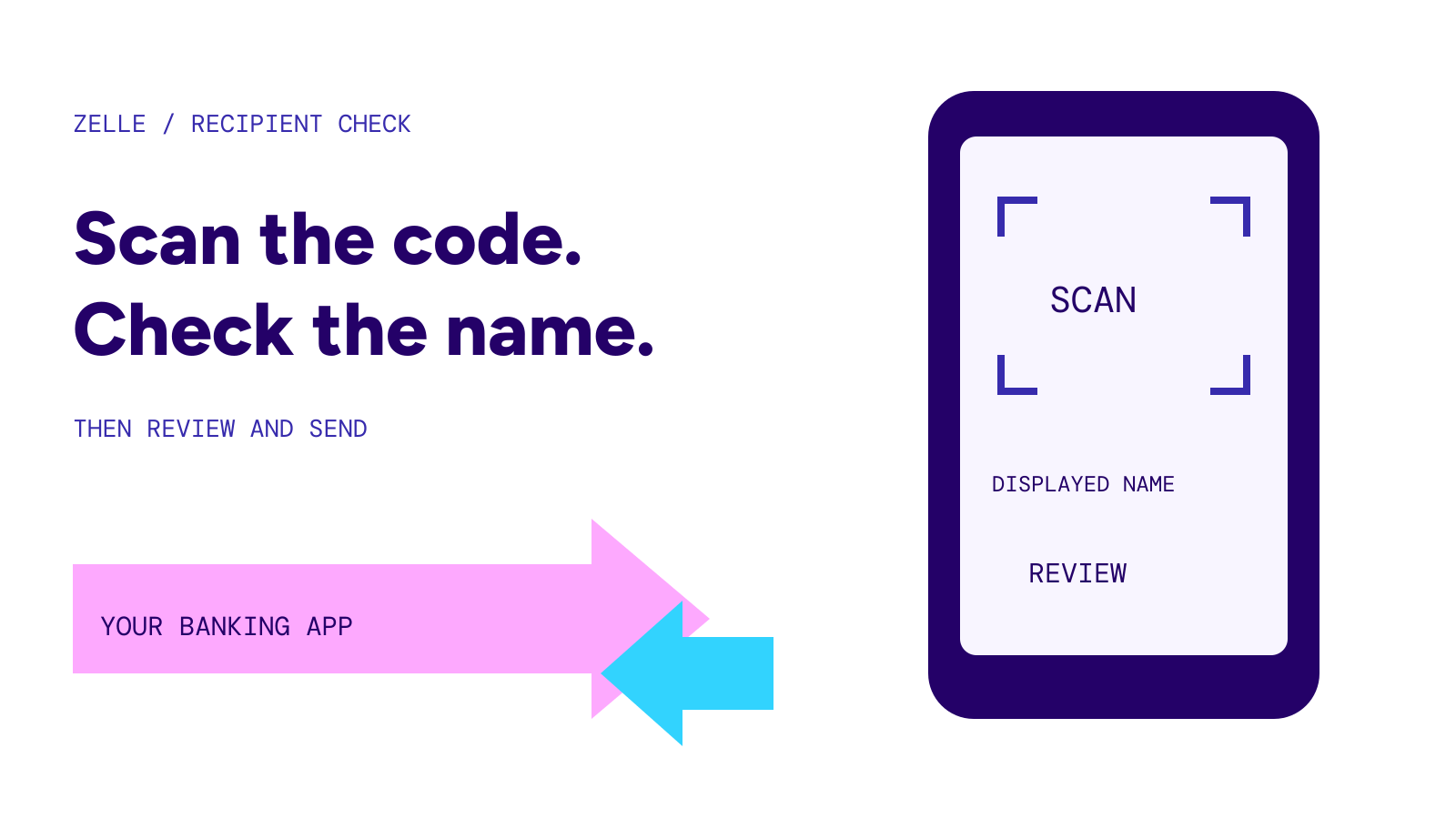
A Zelle QR code lets your banking app fill in a recipient’s contact information without typing it. Scan from the Zelle payment screen, check the name shown, enter the amount and review before sending. Your bank must support QR codes; offering Zelle alone does not guarantee that feature.
On this page
At a glance
- Find your codeLook for My Code or My QR Code within Zelle in your banking app
- Send moneyUse the app’s QR scanner, then review the recipient and payment
- No QR optionUse the recipient’s enrolled email address or U.S. mobile number
- Before sharingCheck which contact information your code includes
Source: Zelle’s usage guide. Checked October 27, 2026.
Scan inside the banking app
Zelle’s instructions start in your banking app: open the sending flow and choose the QR icon on the recipient-selection screen. The camera reads the recipient’s code. Review the displayed name before you send, especially for a new contact.
Wells Fargo describes scanning as one of three ways to add a recipient. Its other choices are selecting a contact or entering the recipient’s email, U.S. mobile number or Zelle tag. After selecting the recipient, its payment flow still requires an amount, a funding account and a final review. Scanning is a shortcut through recipient entry, not the whole payment.
If you need the broader enrollment steps, see how to receive money with Zelle.
Find and share your own code
The menu labels vary by bank. Bank of America tells mobile-app customers to open Pay & Transfer, select Zelle, then tap the QR icon beside Pay and Request. Choose My QR Code and the preferred contact method. The bank supports printing or sharing that code.
Before sending someone a saved image, open the current code in your bank’s app and check the selected contact method. That is particularly useful if you have recently changed the email address or mobile number you use for payments. Give the payer the code associated with the account where you want to receive the money.
For a payment request with a specific amount, use the separate how to request money on Zelle guide. Sharing your code and sending a request are different actions.
What the other person can see
Wells Fargo says its Zelle QR code includes your first or business name and either the email address, U.S. mobile number or Zelle tag linked to the account. It also says tags are available only to small-business customers.
Do not treat a personal QR code as an anonymous way to collect money. Read your own bank’s explanation before putting a code on a public page or printed sign. For a private payment between friends, share it directly with the intended payer.
If the scanner does not work
Check two separate issues: whether your bank offers the feature and whether the app can use the camera.
Zelle says QR codes are not available at every participating financial institution. If your bank does not support them, open its banking app and send to the recipient’s enrolled email address or U.S. mobile number instead.
Wells Fargo requires camera permission for its app to scan a code. Its help page gives separate iOS and Android permission steps. Use your device’s current app-permission screen if its settings labels differ from the bank’s examples. If access is already allowed and the scanner still fails, contact your bank through its official support channel.
A QR code does not add purchase protection
Bank of America says neither it nor Zelle offers purchase protection for Zelle payments. It also says a payment already sent to an enrolled recipient cannot be canceled. The convenience of scanning does not remove those restrictions.
Confirm the person as well as the displayed name before approving a payment. If you sent money to the wrong recipient, start with can you cancel a Zelle payment. Do not send another payment to try to undo the first.