Short answer
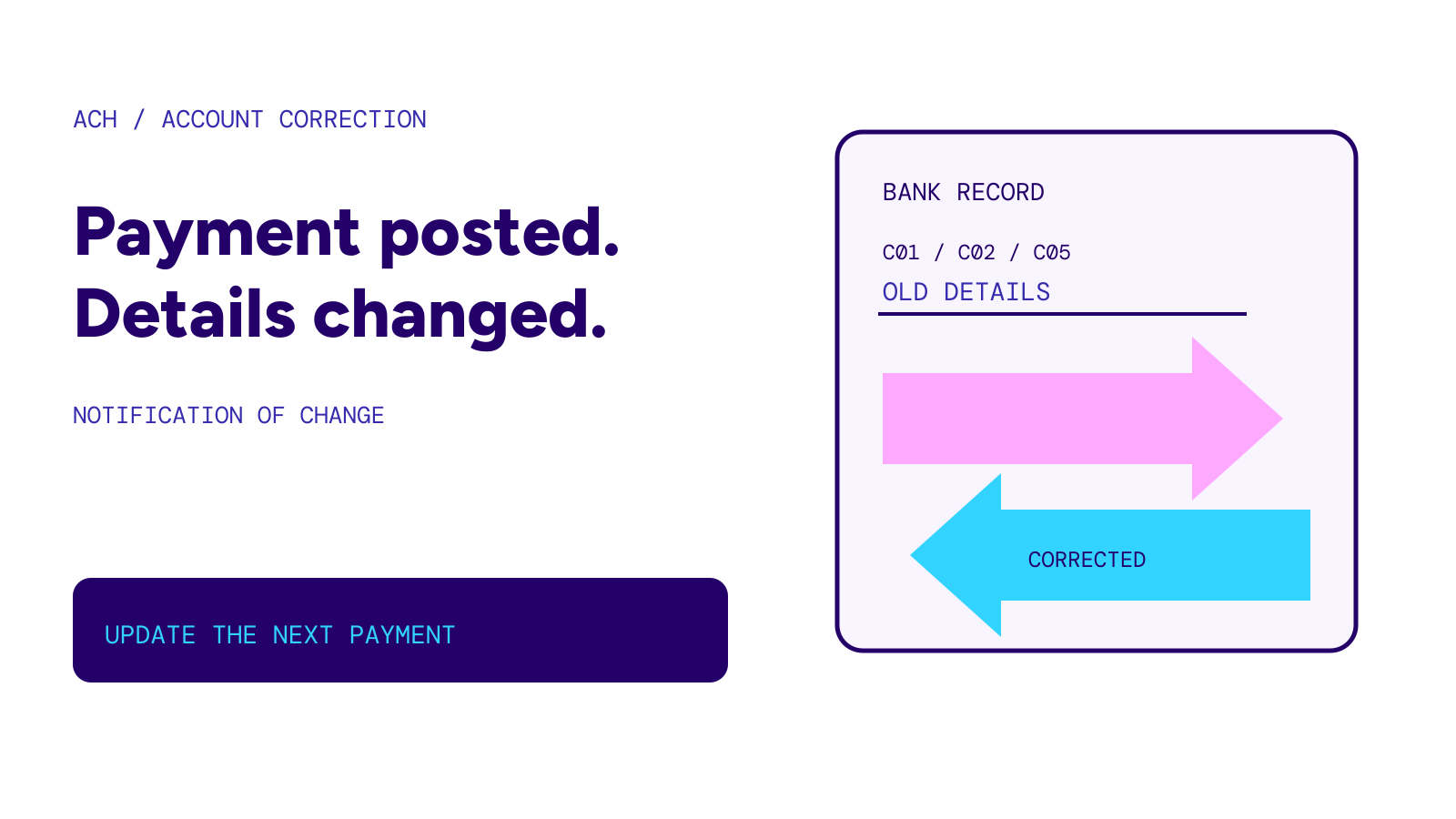
An ACH Notification of Change (NOC) tells the sender that account information needs correcting. The receiving bank has processed the payment but found outdated or incorrect details. Check the payment’s actual status before sending again, then ask the sender or its bank to apply the correction to future payments.
On this page
At a glance
- Money in the noticeNone; an NOC is a non-dollar entry
- Who sends itThe receiving bank, back toward the originating bank
- What changesAccount number, routing number, account type or another specified field
- What to check firstWhether the original payment posted
Sources: Bank Five Nine NOC guide and Increase documentation. Checked October 27, 2026.
Why a successful payment can need a correction
A bank can recognize where an ACH payment belongs even when the sender used old details. Increase illustrates this with a bank acquisition: the receiving bank posts a payment made using the old account information, then sends corrected routing and account numbers back. Continued use of the old details can eventually lead to returns.
That example is not a promise that every bank will redirect a payment after a merger. If your account details changed, confirm the correct instructions with your bank and give them to payroll or the business taking your regular payment. Do not assume an old payment template will keep working.
Common NOC codes
Bank Five Nine publishes the following account-data corrections. These codes identify the field to update; they do not contain a new dollar amount.
| Code | Correction |
|---|---|
| C01 | Account number |
| C02 | Routing number |
| C03 | Routing number and account number |
| C05 | Transaction code, which identifies the account type |
| C06 | Account number and account type |
| C07 | Routing number, account number and account type |
An NOC can concern other fields too. Ask the originating bank for the complete corrected-data message rather than trying to infer replacement details from the code alone.
NOC versus an ACH return
Nacha’s Originator Essentials separates the two responses. A return uses an R code and explains why an entry was returned. An NOC uses a C code to identify incorrect or updated information on an entry the receiving institution processed.
For a sender, the practical distinction is whether another payment is needed. An NOC alone is not a request to pay twice. Reconcile the original entry with your bank before resubmitting money. If the bank says it was returned, use the separate ACH return codes guide to understand that response.
When the sender must act
Nacha’s public summary says that, in most cases, the originator must apply an NOC correction within six banking days of receiving it or before initiating another entry, whichever is later. This is an obligation for the party originating the payment, not a six-day promise that a missing deposit will arrive.
There is an important one-time-payment exception. A rule clarification effective June 21, 2024 gives originators discretion to act on NOCs for any single entry, regardless of its Standard Entry Class code. Do not turn that exception into permission to ignore corrections on a recurring payroll or bill-payment setup. Ask the originating bank which rule and agreement apply to the entry.
How to handle a correction safely
SouthState’s ACH guidance tells originating businesses to validate changes independently using trusted contact details. It warns against relying on contact information supplied in the notice, an email or an invoice.
For a household receiving a message about payroll or an automatic payment, the same precaution gives a useful next step: contact your bank through its established app or number, then contact payroll or the biller through a channel you already know. Ask which field changed, whether the original payment posted and who will update the saved instructions. A message asking for new account details should not be its own proof.
An NOC also does not replace payment authorization. Keep any authorization or cancellation question separate. To end a recurring debit, see stop automatic payments.